I wrote this exercise when Pega introduced a REST integration wizard in Pega Platform. The wizard simplified the experience of accessing an external data source, allowing us to add the exercise to training aligned to the most-basic developer certification (Pega Certified System Architect). The LMS-hosted version of exercise includes a solution walk-through recorded with Camtasia.
Learner level: Beginner (Pega Certified System Architect)
HTML5 version of the exercise (LMS hosted; may require login)
Background
The training application used at this level in the curriculum – a simplified version of a roadside assistance application (like the AAA mobile app for iOS and Android) – included a step for users to enter details about a disabled vehicle: make, model, model year, and color.
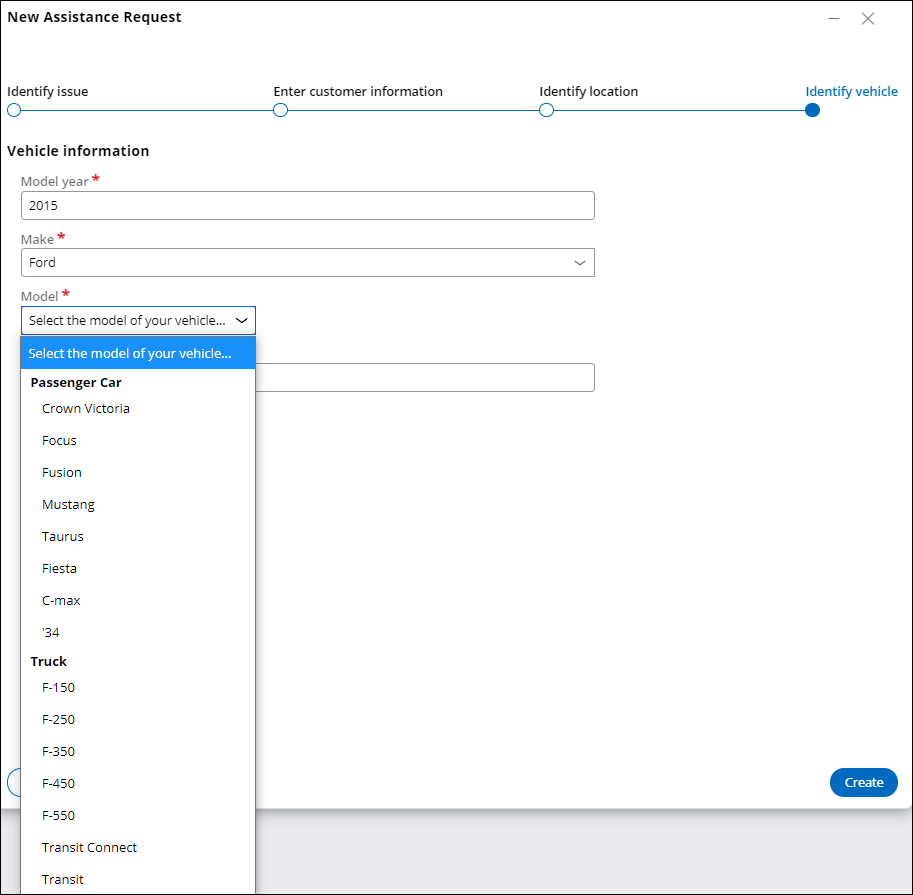
In previous versions of the curriculum, this step consisted of four text fields for user input. A set of drop-down lists would have provided a better user experience, as it prevents invalid entry due to typos. A set of cascading lists would have been even better, as this implementation also prevents invalid combinations of otherwise valid entries, such as “Toyota Civic” instead of “Honda Civic”. But without a simplified integration experience in the product, implement cascading lists required a tremendous amount of data entry. (The list of vehicle makes alone contained 169 entries.)
Implementation Details
Luckily, the National Highway Transportation and Safety Administration (NHTSA) provides the needed data through its Product Information Catalog and Vehicle Listing (vPIC), available to the public through a web service API. After Pega Platform introduced a wizard for implementing a REST integration for a data type, learners could query vPIC for the data to populate the cascading fields. (To reduce the scope of the exercise, I pre-populated the list of vehicle makes so that learners only created one integration, to populate the list of vehicle models.)
The implementation required a data type to capture vehicle information from vPIC, a data transform to trigger the call to the integration, and a data page to cache the information for the drop-down lists in the user interface. By sequencing the exercise near the end of the System Architect course, I was able to leverage earlier lessons on data transforms and data pages.
Due to the way that vPIC categorizes vehicles, the learner needed to access the API twice – once to return a list of passenger cars, and once to return a list of light trucks – then aggregate the two results into a single list. To help learners view the separate the results of the two calls, the exercise calls for grouping the results by vehicle type.
 Instructional Design Portfolio